
.png)
Description
Download BlabbyAI Speech to Text – Accurate, Secure AI Transcription Tool
Overview
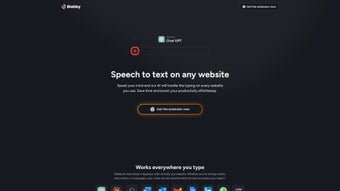
BlabbyAI Speech to Text is a web‑based transcription service that turns spoken language into written text with the help of cutting‑edge artificial intelligence. Designed for both personal and professional environments, the platform allows users to dictate notes, draft documents, or capture meeting minutes directly from any browser‑enabled device. The subscription model provides unlimited transcription minutes, regular model updates, and priority support, making it a reliable choice for writers, students, journalists, and business teams alike. What sets BlabbyAI apart is its ability to recognize a broad range of accents and dialects while maintaining a natural, fluid output that mimics human‑level accuracy. Users can choose from multiple synthetic voice types, enabling a personalized dictation experience that feels intuitive and comfortable. The interface is deliberately minimalistic: a single click activates the microphone, and the AI instantly begins converting speech to text, displaying results in real time. Security is baked into the architecture; all audio streams are encrypted end‑to‑end, and transcription data is stored only for the duration necessary to complete the conversion, after which it is automatically purged. Because the application runs entirely in the cloud, there is no need for bulky software installations, and updates are rolled out transparently, guaranteeing that users always benefit from the latest language models without manual intervention. Whether you need to draft a blog post while commuting, capture lecture notes on a tablet, or transcribe a multi‑speaker conference call, BlabbyAI Speech to Text provides a fast, accurate, and secure solution that integrates seamlessly into daily workflows.
Key Features
- Real‑time transcription with sub‑second latency for instant feedback.
- Support for over 30 languages and dozens of regional accents.
- Multiple synthetic voice profiles that can be selected to match user preference.
- Browser‑based operation – works on Windows, macOS, Linux, Android, and iOS without extra installations.
- End‑to‑end encryption for audio streams and temporary storage of transcriptions.
- Unlimited transcription minutes under the premium subscription.
- Automatic punctuation and capitalization for ready‑to‑use text.
- Export options: copy to clipboard, download as .txt, .docx, or send directly to Google Docs.
- Integration with popular productivity tools via API (Zapier, Integromat, custom webhooks).
- Regular AI model updates that improve accuracy and add new vocabularies.
Installation, Usage & Compatibility
Because BlabbyAI Speech to Text is a cloud‑native solution, there is no traditional installation process. Users simply visit the official website, create an account, and select a subscription tier that matches their needs. The onboarding wizard guides them through microphone permission settings, which are required for the browser to capture audio. Once permissions are granted, the main dashboard displays a large “Start Dictation” button. Clicking the button activates the microphone, and a small overlay shows live transcription as the AI processes the speech. Users can pause, resume, or stop the session at any time, and the text can be edited directly in the on‑screen editor before exporting.
The platform is fully compatible with any modern browser that supports the Web Speech API and HTTPS, including Chrome, Edge, Firefox, Safari, and Opera. This means it runs on Windows 10/11, macOS Ventura and later, Linux distributions with recent kernels, as well as mobile operating systems such as Android 9+ and iOS 13+. Because the service is accessed via a URL, there is no need for separate native apps, though a progressive web app (PWA) shortcut can be added to the home screen for quicker access on mobile devices.
For power users, BlabbyAI offers an API key that can be embedded into custom workflows, allowing developers to send audio files programmatically and receive transcriptions in JSON format. The documentation provides clear examples in Python, JavaScript, and curl, making integration straightforward. Additionally, the service includes a “Voice Profile” manager where users can switch between male, female, and neutral synthetic voices, as well as adjust speaking speed and intonation to better match their dictation style. All these features combine to create a frictionless experience that requires only a stable internet connection and a functional microphone.
Pros, Cons, FAQ & Conclusion
Pros
- High accuracy across multiple languages and accents.
- Zero‑install, browser‑based access works on any device.
- End‑to‑end encryption ensures data privacy.
- Unlimited transcription minutes with the premium plan.
- Rich export options and API integration for workflow automation.
Cons
- Requires a constant internet connection; offline usage not supported.
- Subscription pricing may be a barrier for occasional users.
- Advanced features (API, custom vocabularies) are limited to higher tiers.
Frequently Asked Questions
Is BlabbyAI Speech to Text free to try?
Yes, a 7‑day free trial is available for new users, providing full access to all premium features without requiring a credit card.
Can I use BlabbyAI on a public computer?
Absolutely, as long as the browser supports HTTPS and you grant microphone permissions, the service works on any public or shared workstation.
How secure is my audio data?
All audio streams are encrypted with TLS 1.3 during transmission, and transcription data is stored only temporarily in a secure, ISO‑27001‑compliant environment before being automatically deleted.
Does BlabbyAI support speaker identification?
Current versions can differentiate between two speakers in a conversation, labeling each segment accordingly, which is useful for meeting minutes.
What browsers are recommended for the best experience?
Google Chrome and Microsoft Edge provide the most consistent performance, but the service also works well in Firefox and Safari when the latest versions are used.
Conclusion & Call to Action
BlabbyAI Speech to Text delivers a compelling mix of accuracy, convenience, and security that makes it a top contender in the crowded AI transcription market. Its browser‑only architecture eliminates the hassle of installations, while the robust feature set—ranging from multi‑language support to real‑time punctuation—caters to a wide audience of writers, educators, and business professionals. Although a subscription is required for unlimited usage, the free trial and high‑quality output provide enough value to justify the investment for power users. If you’re looking for a reliable, secure, and future‑proof speech‑to‑text solution that works across Windows, macOS, Android, and iOS, give BlabbyAI a try today and experience how effortless dictation can transform your productivity.
Guides & Tutorials for BlabbyAI Speech to Text
How to install BlabbyAI Speech to Text
- Click the Preview / Download button above.
- Once redirected, accept the terms and click Install.
- Wait for the BlabbyAI Speech to Text download to finish on your device.
How to use BlabbyAI Speech to Text
This software is primarily used for its core features described above. Open the app after installation to explore its capabilities.
User Reviews for BlabbyAI Speech to Text 0
No reviews found




